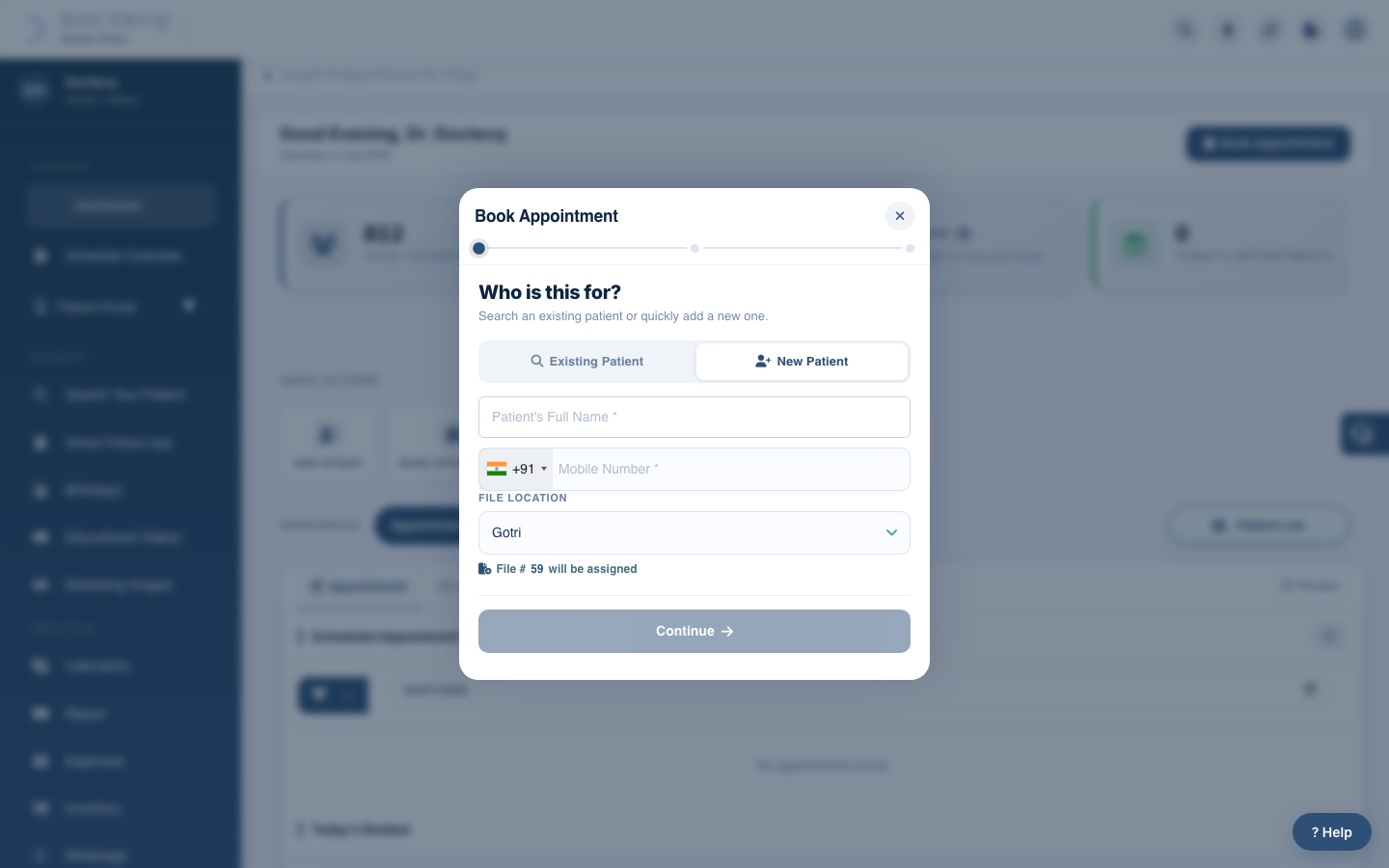
You can register a patient on their own, or register and book an appointment together.
Steps
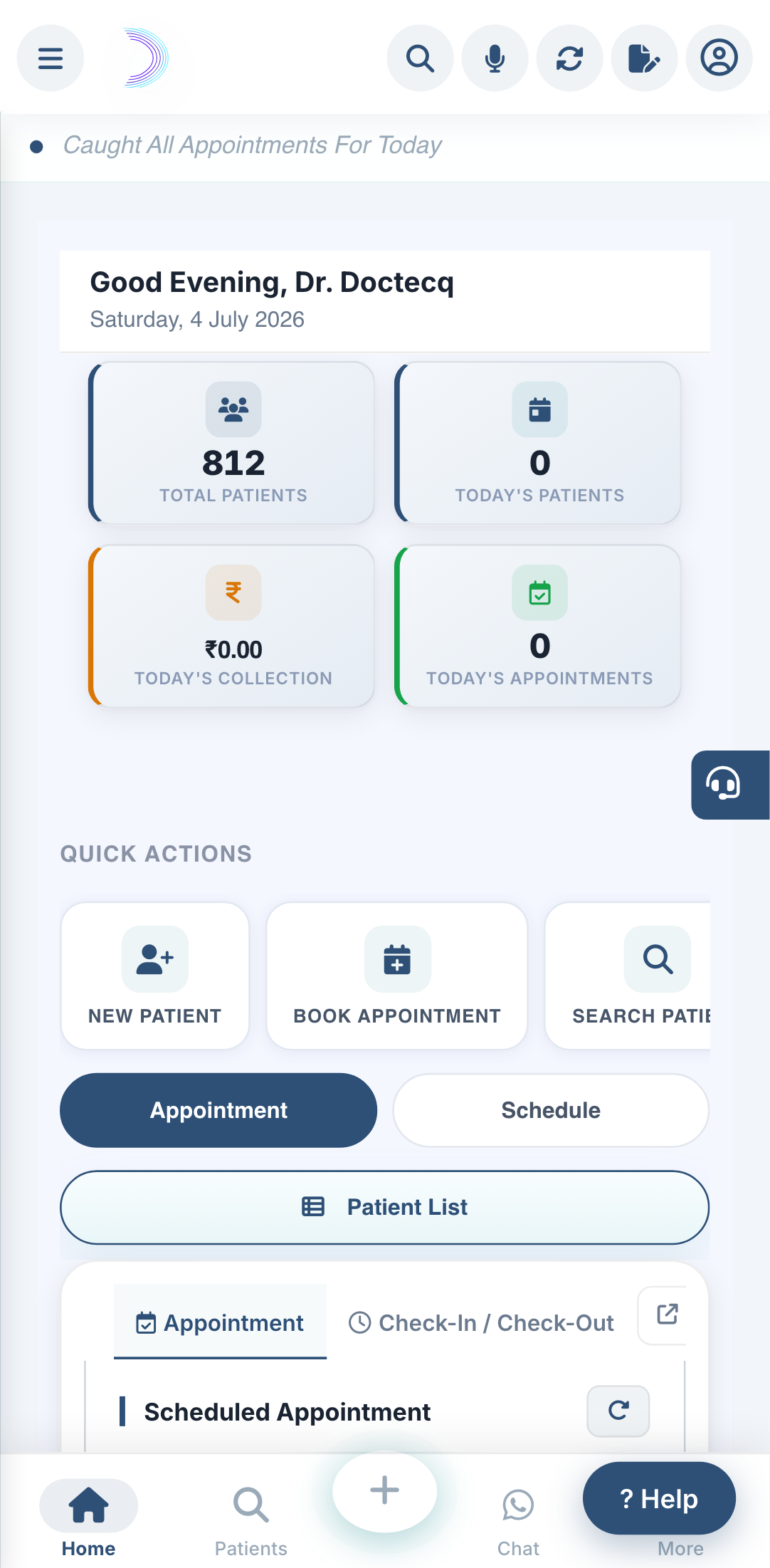
- Open the Book Appointment window, or the patient screen, and choose to add a new patient.
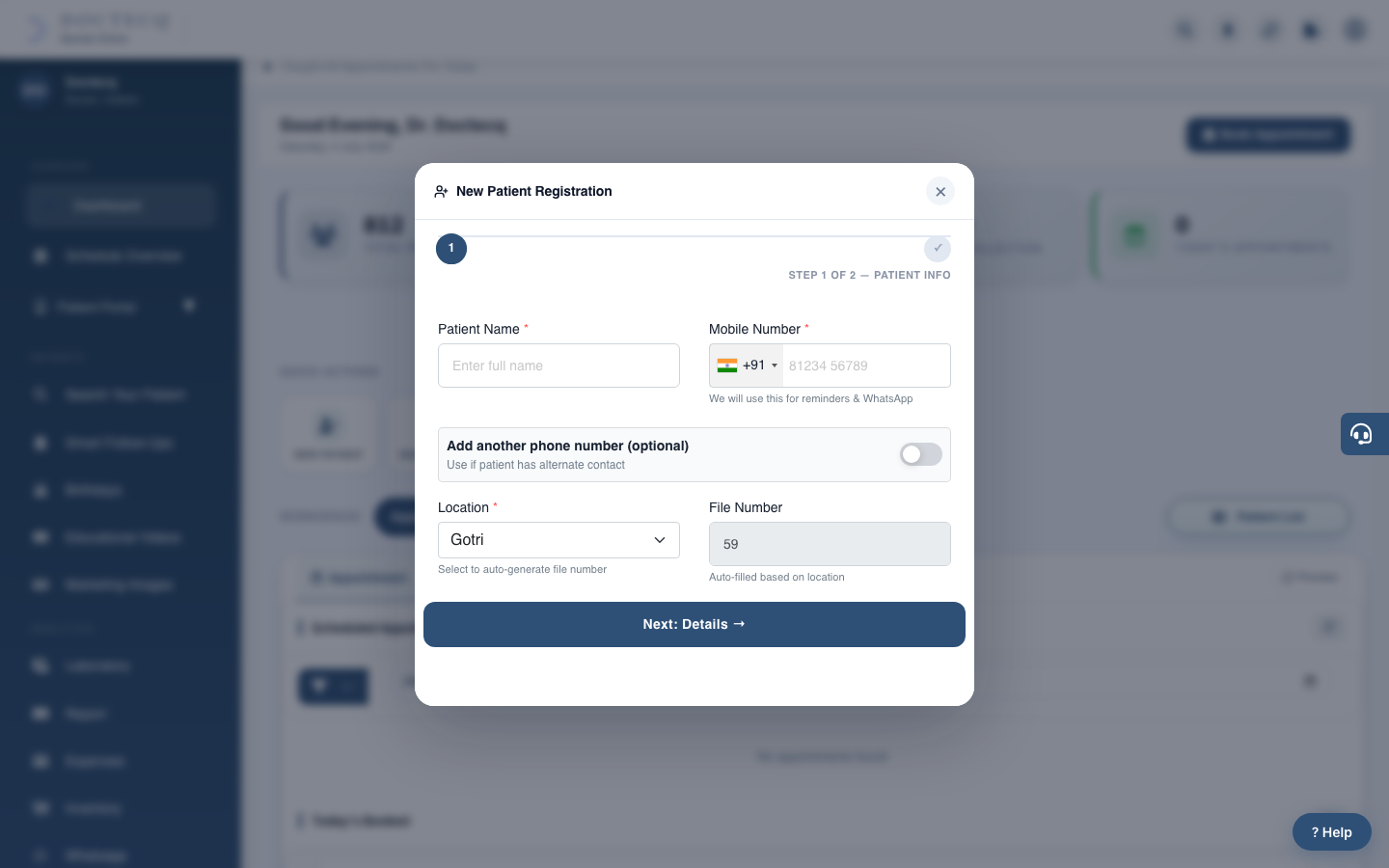
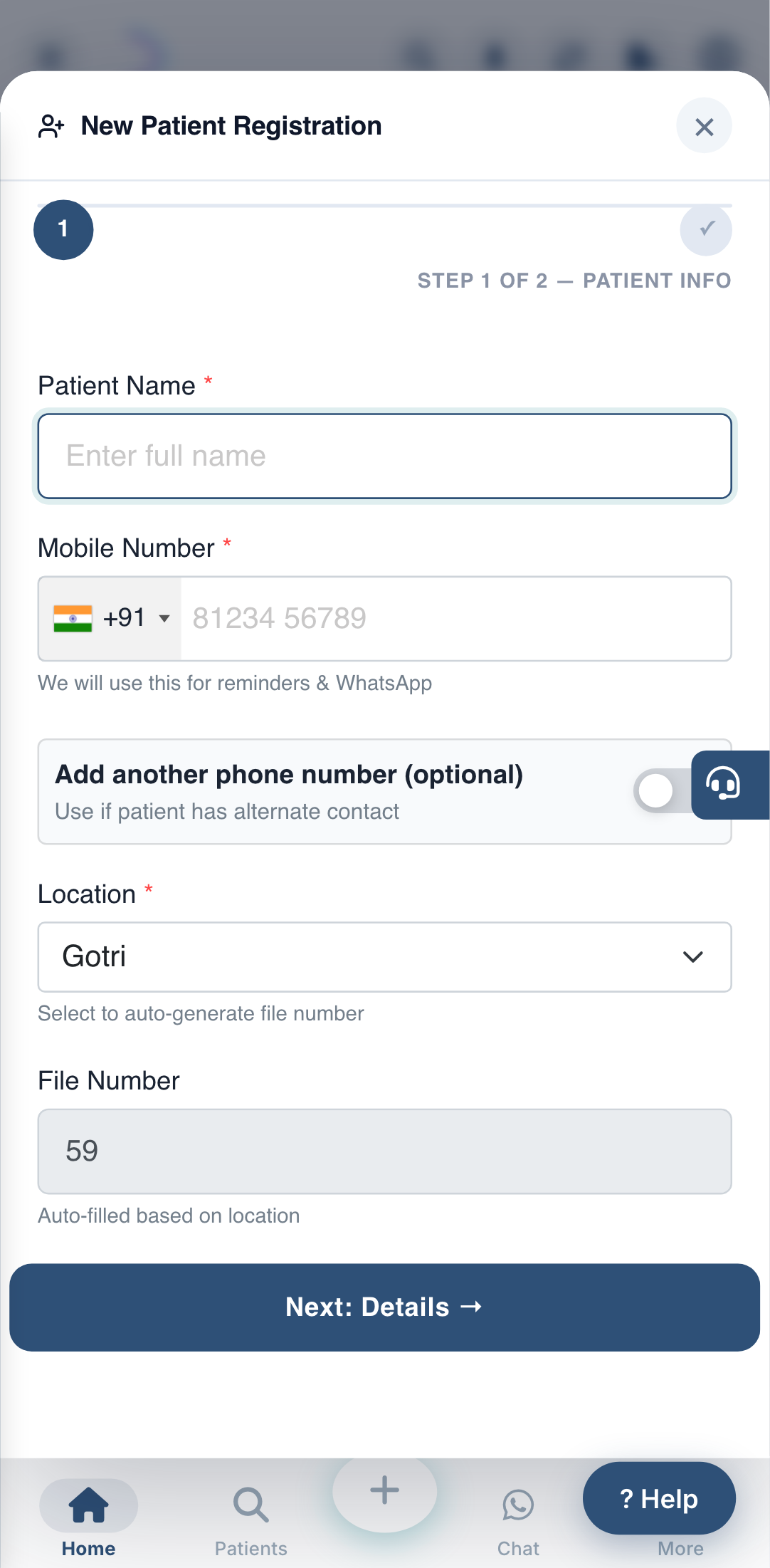
- Enter the name and a mobile number (required).
- Choose the branch location — the file number is filled in for you. For a special case you may type your own number.
- Add any other details (email, alternate number, address, gender, date of birth, blood group, reference, photo).
- Save.
Always search first before registering, so you don't create the same patient twice. See Search before you register.
Messages you may see
- "Patient name is required" / "Primary mobile number is required" — fill the required fields.
- "This alternate number is already registered" — the second number is in use by another patient.